
How to run discount codes and sales
Create discount codes, schedule sales and reward customers who refer friends.
Reviewed 17 November 2026. Screenshots are examples; written steps reflect current prices and plan limits.
⏱ 2 min📍 Dashboard → Discounts
1Create a code
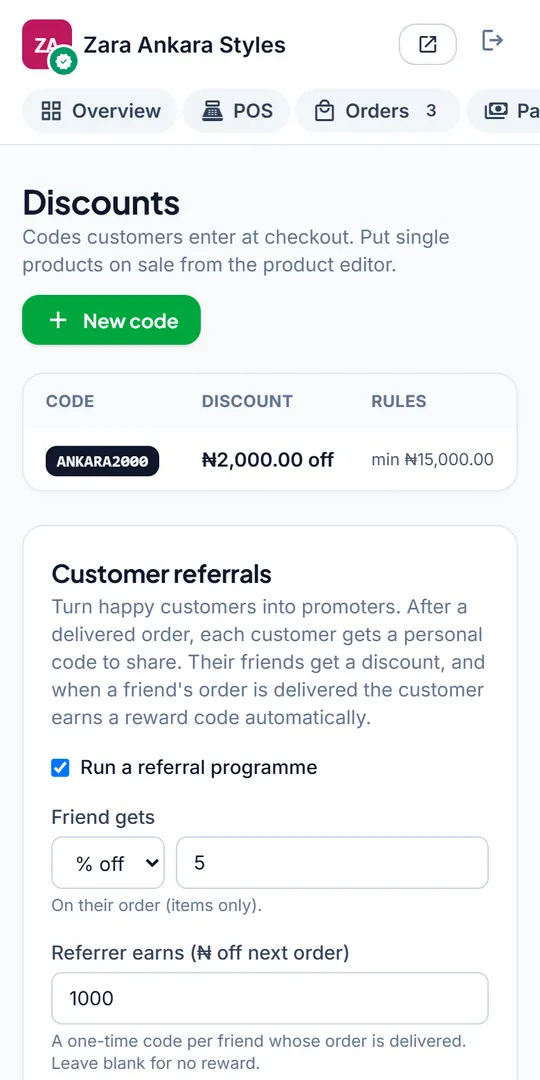
In Discounts tap Create code. Enter the code customers type (e.g. SALLAH10) and the discount (up to 90% off), with an optional minimum order, usage limit and start and end dates. Tick Show on my shop to advertise it.
2Sale prices
For a sale on specific products, set a Sale price with start and end dates on each product.
3Referral rewards
Under Customer referrals set what a referred friend gets on their order, and an optional reward for the customer who referred them: a one-time code for each friend whose order is delivered.
Want every step on one page?
⬇ Seller guide (PDF) Updated 17 Nov 2026More guides
Still stuck? Contact the Kaya 9ja Retails team