How to handle returns and refunds
Set your return period and policy, then approve, receive and refund returns.
Reviewed 17 November 2026. Screenshots are examples; written steps reflect current prices and plan limits.
⏱ 3 min📍 Dashboard → Returns
1Set your policy
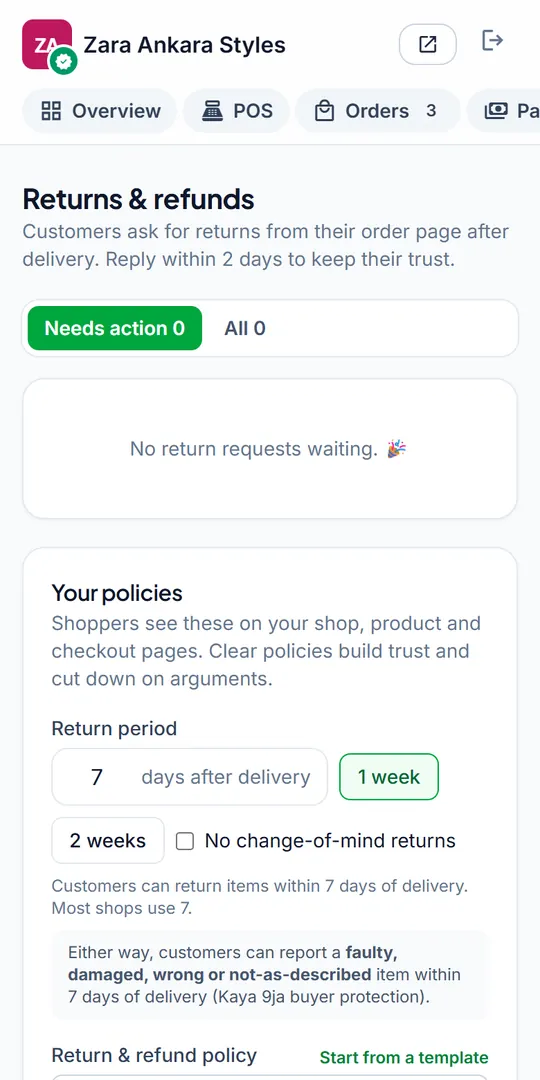
In Returns set how many days customers have to return items (or no change-of-mind returns) and write your return & refund policy. It shows on your shop.
2Review requests
When a customer asks to return an item you see their reason and photos. Approve or decline with a reason.
3Receive and refund
When the item comes back, mark it received and record the refund, exchange or repair. Both of you keep a clear record.
💡 Tips
- Custom-made or personalised items can't be returned unless faulty.
Want every step on one page?
⬇ Seller guide (PDF) Updated 17 Nov 2026More guides
Still stuck? Contact the Kaya 9ja Retails team