
How to protect your account with two-step login
Add a code by email or an authenticator app when you log in.
Reviewed 17 November 2026. Screenshots are examples; written steps reflect current prices and plan limits.
⏱ 2 min📍 Dashboard → Security
1Open Security
Tap Security in your dashboard.
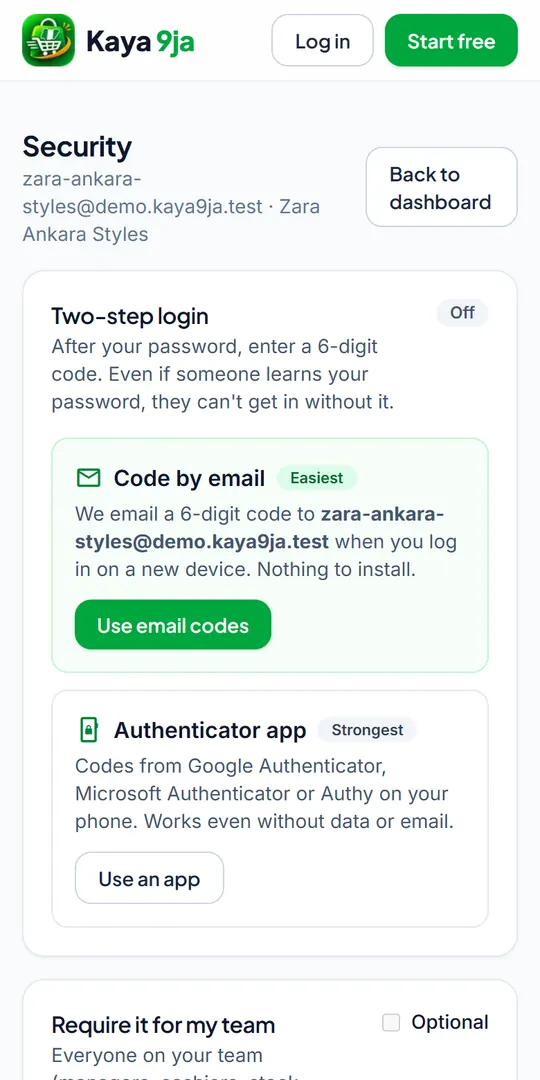
2Choose a method
Turn on codes by email, or set up an authenticator app (Google Authenticator, Microsoft Authenticator) by scanning the QR code.
3Remember this device
When you log in, tick to remember the device so you're not asked every time on your own phone.
4Your team
You can require two-step login for everyone on your team.
Want every step on one page?
⬇ Seller guide (PDF) Updated 17 Nov 2026More guides
Still stuck? Contact the Kaya 9ja Retails team